 Block Individual room controller
Block Individual room controller
Block Individual room controllerThis control element sets the temperature of a room. It shows the measured room temperature and whether heating or cooling is on right now. Switching times lower the temperature at night, for instance, and when leaving the house or during a vacation a separate setpoint can apply.
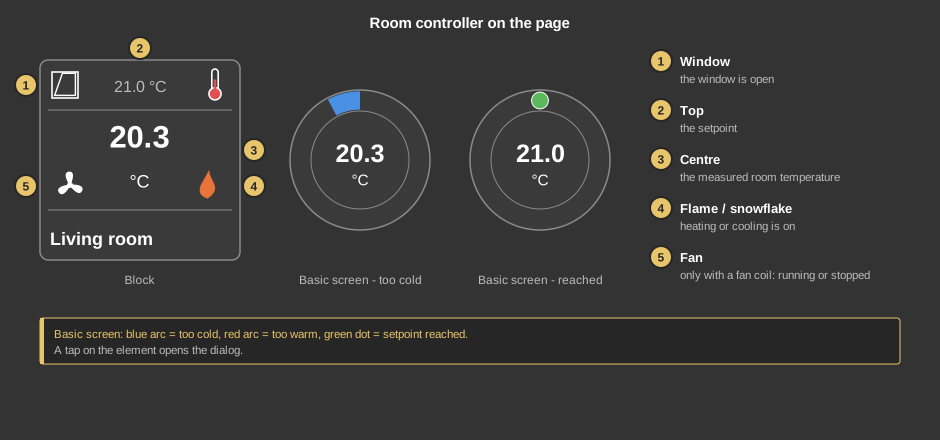
As a circle (basic screen) the element shows the room temperature; the arc tells how far it is from the setpoint – blue means too cold, red too warm, a green dot at the top means: setpoint reached. A tap on the element opens the dialog.
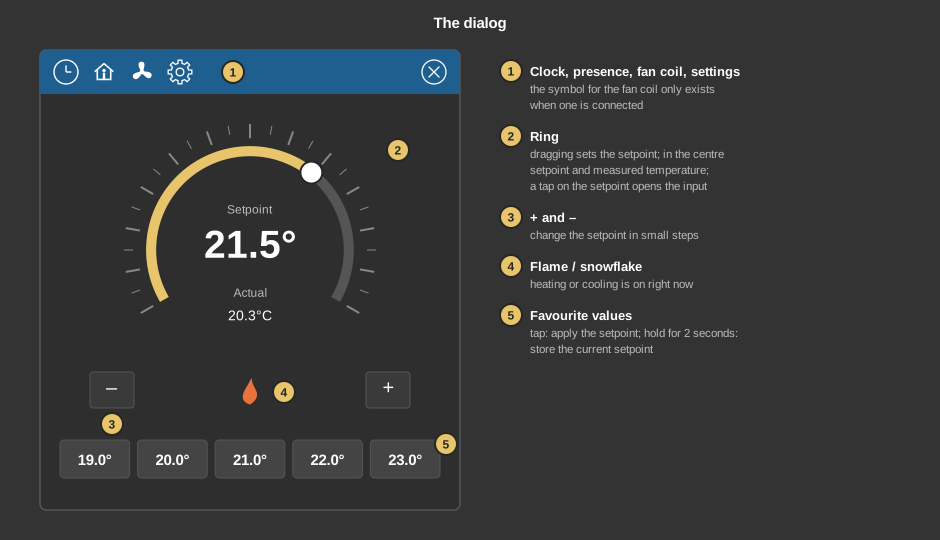
Behind the clock are switching times. Each one selects one of the four buttons – for example Comfort at 6 am and Night at 10 pm on weekdays. The temperature comes from the button: if its setpoint changes, the new one applies at the next switching time. Switching times from older projects that specify a temperature keep working as before until a button is selected. With a fan coil a switching time can also change its operating mode. Everything else about switching times is described under Presence.
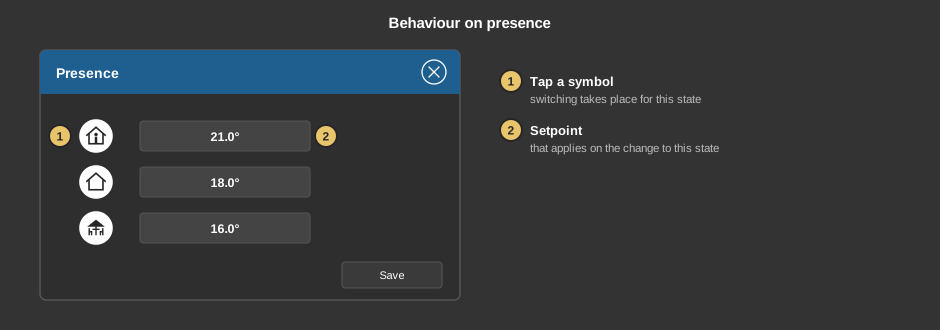
Behind the house one of the first three buttons (Comfort, Standby, Night) is set for each state that applies on the change. A tap on a symbol selects whether switching takes place at all for this state; a tap on the operating mode moves on to the next button. The default is Present = Comfort, Absent = Standby, Vacation = Night. In the example the controller changes to Standby when leaving the house and to Night during a vacation. For a control element from an older project the previous temperature is shown there at first and applies until a button is selected.
If switching times or presence are switched on, their entry in the list behind the gear wheel is lit blue and carries the note Active.
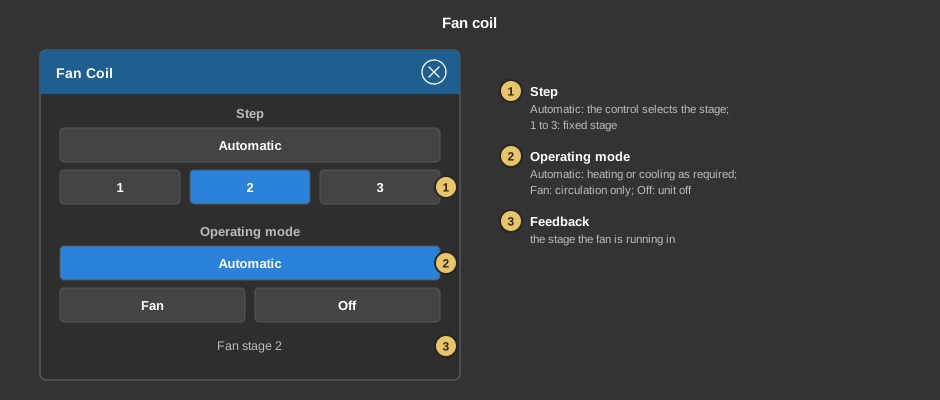
If a fan coil unit is connected, its symbol in the title bar opens this dialog. Every selection takes effect immediately.
The gear opens the setting Frost protection: the temperature that is kept at least while the window is open.
This section is meant for the installer of the system.
Tip: Heating and cooling are only shown when the valve outputs are linked. If there is only one common valve for both, link internal addresses for heat valve and cool valve instead.
Display |
|
| Scene selection | Sets whether the element is offered for selection in the control element Block Scene Group. |
| View | Block or Basic Screen. The third choice List (deprecated) comes from older projects and should no longer be used. |
| Text | Caption of the tile. Its size scales with the element, a line break is inserted with \n, two lines at most. |
Setpoint |
|
| Show setpoint | Shows the setpoint in the top row of the tile. |
| Step | Step of the + and – buttons in the dialog, default 0.5 °C. For a step larger than 0.1 °C the buttons snap to the next multiple. |
| Minimum / Maximum | Range of the setpoint, default 0 to 30. If both are equal, the setpoint is not limited. |
| Setpoint factor | Standalone only. The setpoint is sent multiplied by this factor and received values are divided by it – for devices that expect the temperature in tenths of a degree, for instance. Default 1. |
With the variant presence all addresses sit at the function block. With the variant standalone the following are linked at the control element (those marked with * are required):
| Operating mode* | 1 = Comfort, 2 = Standby, 3 = Night, 4 = Frost. The setpoint that is set and shown depends on it. |
| Setpoint comfort* | Setpoint of the operating mode comfort. |
| Setpoint standby / night / frost | Optional. Setpoints of the other operating modes. If the device only has one setpoint, link the same address to all four. Not linked: 0 is shown in this operating mode and nothing is sent. |
| Actual room* | Measured room temperature. |
| Set point status | Optional. Feedback of the setpoint the device actually controls to – it can differ from the one set, for instance while the window is open. Not linked: the setpoint of the active operating mode is shown. |
| Heat valve / Cool valve | Optional. Control values; not equal to 0 shows flame or snowflake. Not linked: no heating/cooling symbol. |
| Valve heat/cool | Optional. Common control value when one valve is used for both. For showing heating and cooling see the tip above. |
| Fan coil feedback stage | Optional, in both variants. Running stage of the fan coil, 0 = off. Not linked: the fan symbol follows the selection made in the dialog. |
See also General properties of all control elements.