 Block Roller shutter/Blinds
Block Roller shutter/Blinds
Block Roller shutter/BlindsThis control element moves a roller shutter or a venetian blind – fully up, fully down or to a certain height, with a venetian blind also the angle of the lamellas. On top of that there are switching times, the behaviour on presence and absence, an automatic shading based on the position of the sun, brightness and room temperature, and a presence simulation.
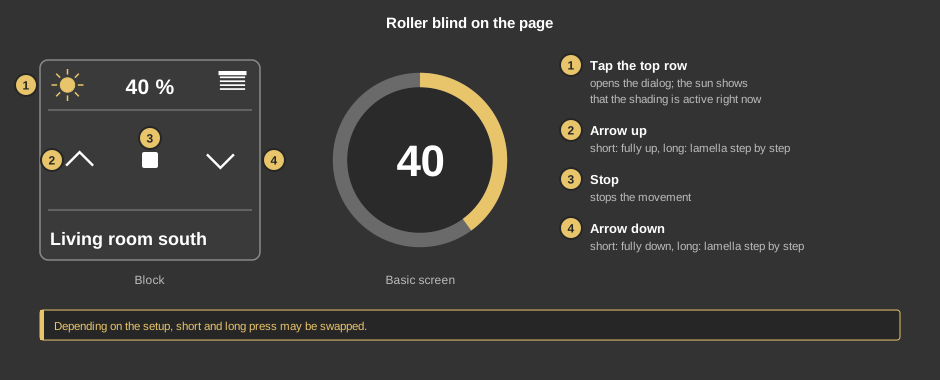
Depending on the setup, short and long may be swapped. As a circle (basic screen) the element shows height and lamella; a tap opens the dialog.
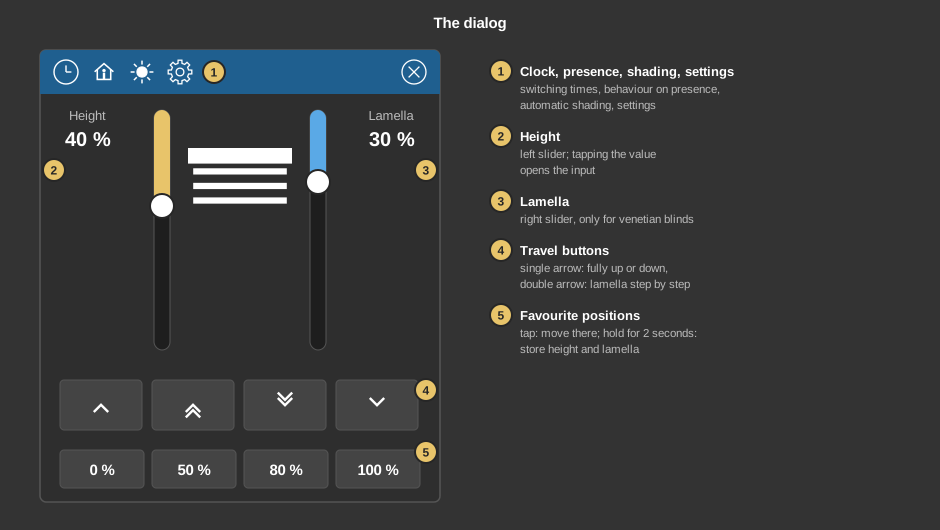
Behind the clock are the switching times – for instance moving up at 7 am and closing at sunset. Behind the house it is set where to move when the presence changes, for example down when leaving the house and up again when coming home. Both are described in detail under Presence.
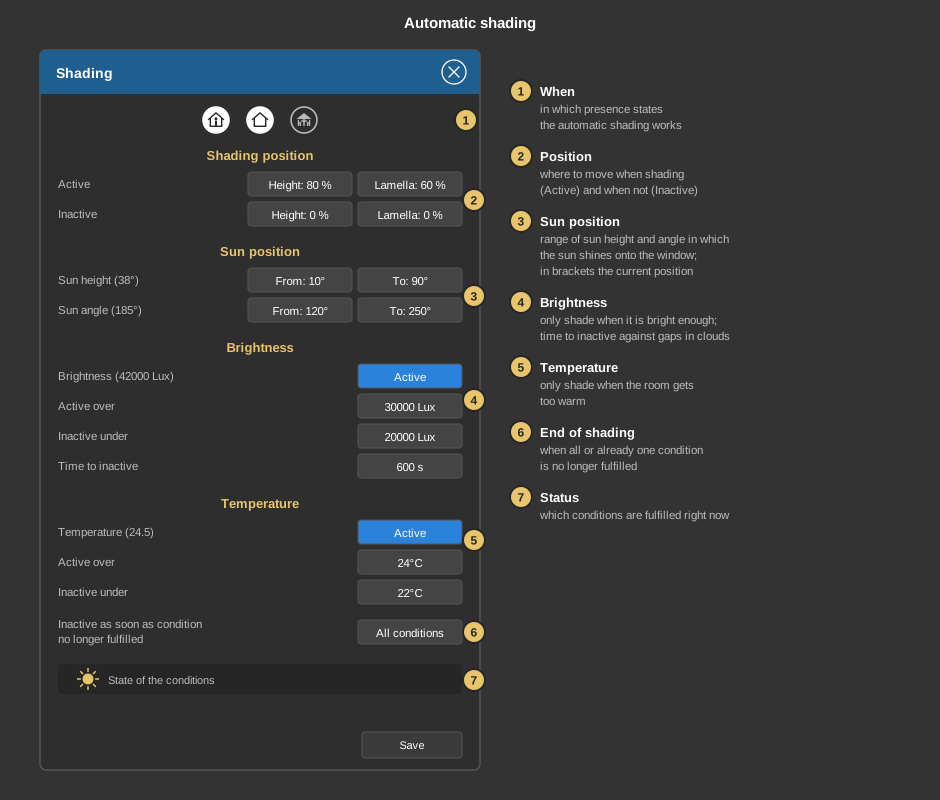
The sun in the title bar opens the shading. It moves the blind by itself to a protective position when the sun shines onto the window – against glare or to keep the room from heating up. The dialog is longer than the screen and is moved by dragging.
Save applies the settings.
This section is meant for the installer of the system.
The addresses for the lamella are optional – for a roller shutter they stay empty, then the lamella slider and display are hidden. Without an address Shorttime the double arrows are left out in the dialog.
Tip: If the transparency is set to 0 and a height is linked, a tap on the whole area opens the dialog.
Display |
|
| Scene selection | Sets whether the element is offered for selection in the control element Block Scene Group. |
| View | Block or Basic screen. |
| Text | Caption of the tile. Its size scales with the element, a line break is inserted with \n, two lines at most. |
| Lamella | Display of the lamella angle, 90° or 180° – depending on how far the lamellas of the blind turn. |
| Show lamella | Unit in which the lamella is shown on the tile, in the dialog and at the favourite positions: Percent (value of the address, default) or Degree. With degree the range depends on the setting Lamella: 0 to 90° for 90°, –90 to +90° for 180°. The input after tapping the value in the dialog is then also made in degrees. The percent value is always what is sent. The settings inside the dialog (shading, presence simulation, state values) stay in percent. |
| Buttons mode |
|
Venetian blind |
|
| Lamella delay | Waiting time in seconds (0 to 600) before the lamella setpoint is sent after the height. Meant for actuators that only execute the last command: when a favourite position is recalled, the height is sent first and the lamella after this time. Enter the longest travel time of the height plus some safety margin. |
With the variant presence all addresses sit at the function block. With the variant standalone the following are linked at the control element:
| Longtime | Travel command fully up (0) or fully down (1). |
| Shorttime | Optional. Step or stop command; the stop button sends 0 here. Not linked: no lamella steps in the dialog. |
| Height percent | Optional. Setpoint of the height, data type EIS 6 %. Not linked: no dialog, no height display. |
| Lamella percent | Optional. Setpoint of the lamella, EIS 6 %. Not linked: the lamella slider is left out. |
| Status height / Status lamella | Optional. Feedback of the actuator, EIS 6 %. It is shown on the tile and in the dialog. Not linked: the setpoint sent last is shown, without a height setpoint the position from the last long time command (fully up or fully down). |
See also General properties of all control elements.