 Block Scene
Block Scene
Block SceneThis control element triggers a scene: with one tap several lights, blinds or other devices are set to prepared values together – for instance “Dinner” with dimmed light and half-closed blinds. On request the user can learn the scene anew or set its values one by one.
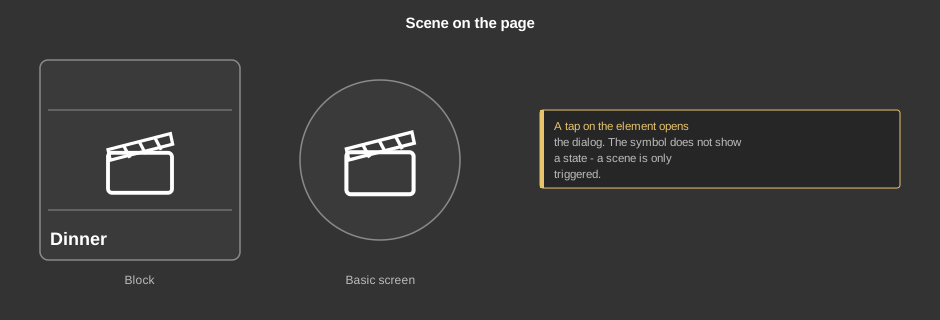
A tap on the element opens the dialog – on the tile as well as on the circle (basic screen). The symbol does not show a state, because a scene is only triggered and does not stay “on”.
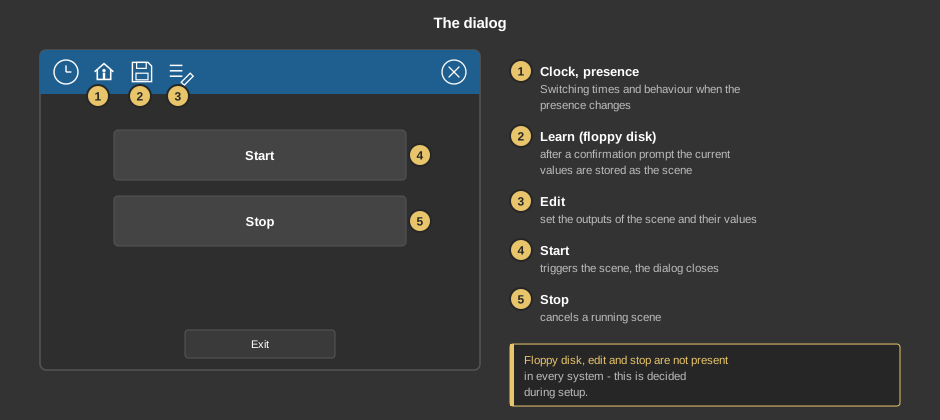
Exit closes the dialog without any further action. Whether the floppy disk, edit and stop are present is decided during setup.
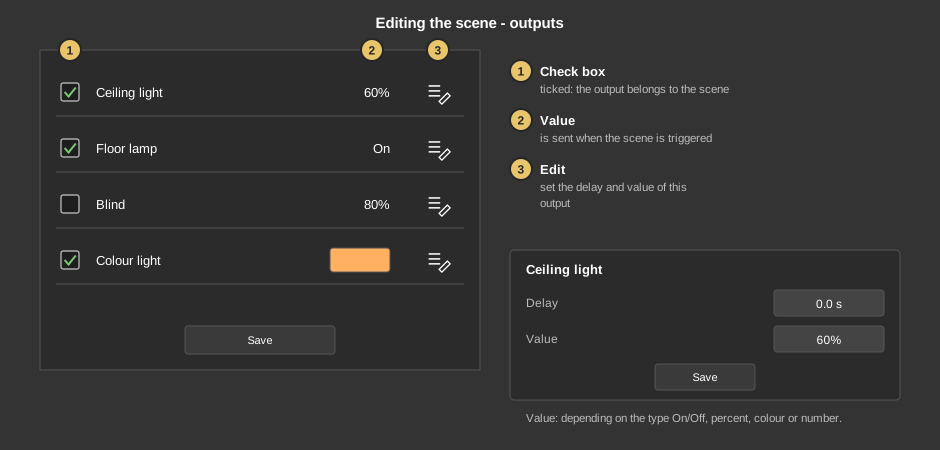
Save in the list applies the changes and closes it.
Behind the clock are switching times that trigger the scene at a certain time. Behind the house you select for each presence state whether the scene is triggered when changing to it – then Execute is shown next to it. This way, for instance, a scene “All off” can be triggered when leaving the house. Both are described in detail under Presence.
This section is meant for the installer of the system.
The control element is linked to a function block: first create the function block including its addresses, then right-click the control element and select the function block. Available are:
Display |
|
| View | Block (tile) or Basic screen (circle). The third choice List(deprecated) comes from older projects and should no longer be used. |
| Text | Caption of the tile. Its size scales with the element, a line break is inserted with \n, at most two lines. |
| Show learning | Shows the floppy disk for learning the scene in the dialog. Default: on. |
| Show stop | Shows the button Stop in the dialog. Default: off. |
| Show edit | Shows the symbol Edit in the dialog, only with the function block Block Scene basic. Default: on. |
Icon |
|
| Symbol | Only in the new block design: symbol from the symbol catalog or an SVG graphic imported into the project. It is colored to match the style. Empty: the previous scene symbol. |
| Icon style theme dark / light | Only in the old block design: own graphic from the project. For styles with a dark icon theme dark applies, otherwise light; without a style dark applies. Empty: the previous scene symbol. |
| Zoom | Size of the icon in percent, 10 to 300. The position stays fixed in the center of the circle. Default: 100 %, i.e. the previous size. |
Tip: If the background is deselected at the transparency, the basic screen only shows the symbol. This makes it easier to lay the element over another one.
All addresses sit at the function block, see Block Scene basic or Block Scene sequence.
See also General properties of all control elements.