 Block attendance
Block attendance
Block attendanceThis control element sets whether somebody is at home: Present, Absent or Vacation. All other Block control elements follow it – the light goes off when leaving the house, the heating lowers the temperature, the shading stays closed during a vacation. What exactly happens is decided by each element itself, see Presence.
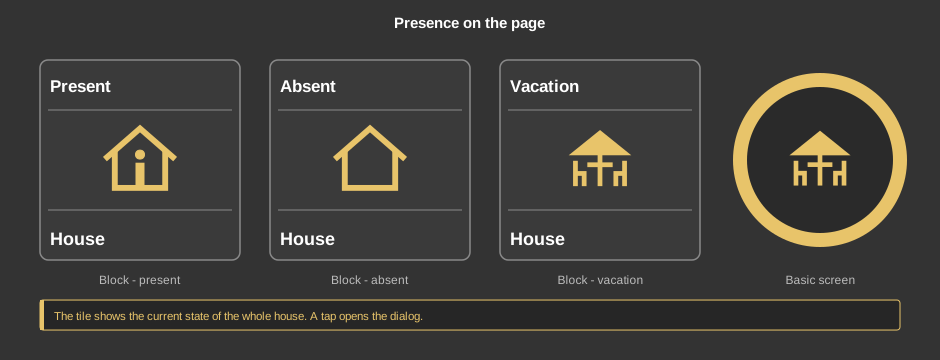
The tile shows the current state as text and symbol. A tap opens the dialog.
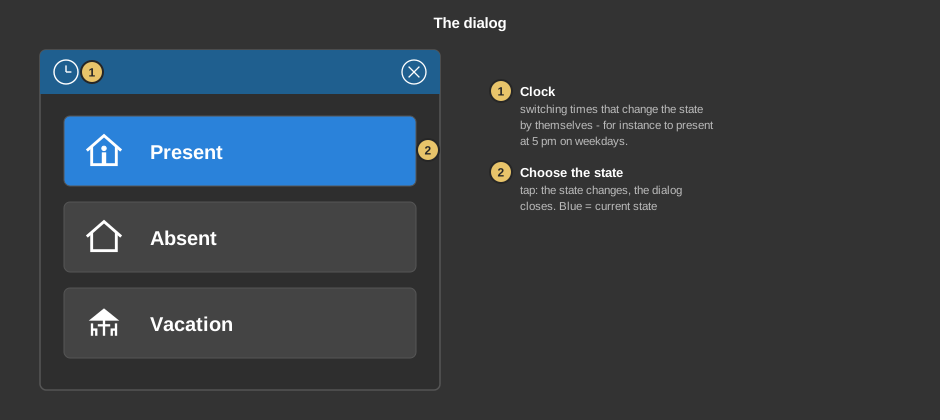
Tip: The state can also be changed with the switch in the Block footer – that way it can be reached on every page.
This section is meant for the installer of the system.
The control element is linked to the function block Block attendance: first create the function block and its addresses, then right click on the control element and select the function block. The addresses sit at the function block. The whole procedure is shown on the page Presence.
Display |
|
| View | Block (tile) or Basic screen (circle with the symbol of the state). The third choice List (obsolete) comes from older projects and should no longer be used. |
| Text | Caption at the bottom of the tile. Its size scales with the element, a line break is inserted with \n, two lines at most. |
Names |
|
| Text present / absent / holiday | Different names for the three states, for instance “Open” instead of “Present” in a hotel. Empty: the standard text. The names apply to the whole project – also in the switch of the footer and in the switching times of the other Block control elements. If a project contains several of these control elements, the texts of the one created first apply. The symbols stay unchanged. |
Tip: If the tick Background under transparency is removed, only the symbol remains – that makes it easy to lay the element over another one.
See also General properties of all control elements.