 Block Gate Control
Block Gate Control
Block Gate ControlThis control element operates a gate, a door or a barrier – for instance the garage door or the driveway gate. The tile shows whether the gate is open, closed or moving; in the dialog it is opened, stopped and closed. On request the gate closes by itself after an adjustable time and reports when it has been open for too long.
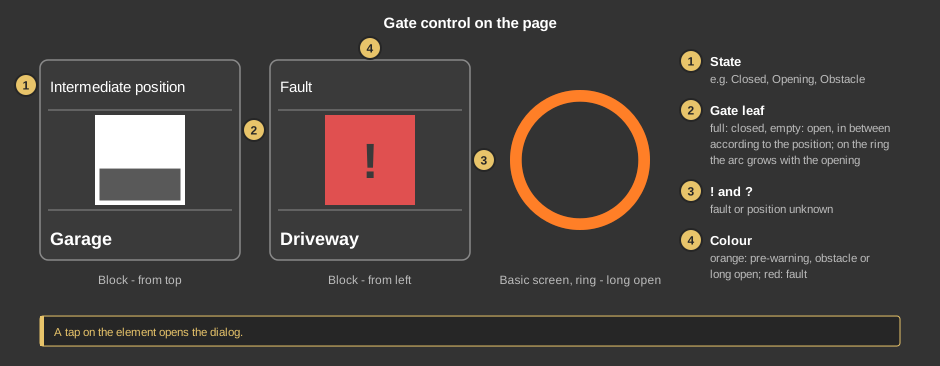
As a circle (basic screen) the element only shows the gate leaf or the ring. A tap on the element opens the dialog.
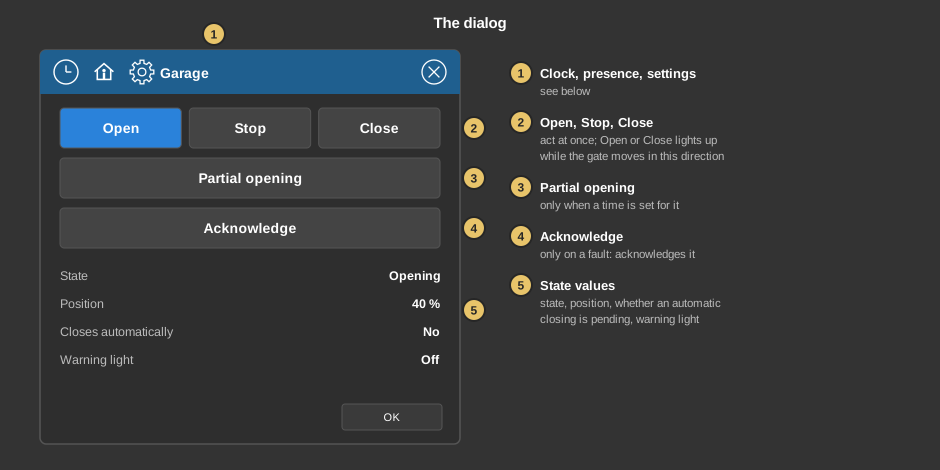
OK closes the dialog.
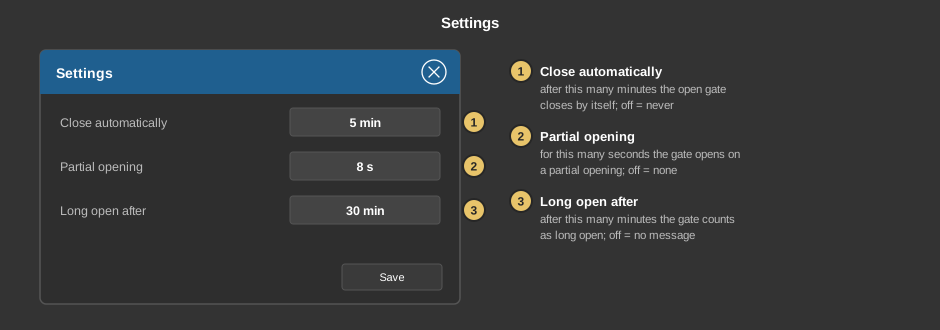
Save transfers the settings to the controller; they are kept there and survive a restart.
Behind the clock there are switching times with an action: Open, Close or Partial opening – a tap on the value switches on. A new switching time is set to No action and moves nothing until an action has been chosen. Opening and closing by a switching time run through the pre-warning, provided it is set at the function block; after that the gate drives in the requested direction. An obstacle cancels only the pre-warning before closing, opening continues. Everything else about switching times is described under Presence.
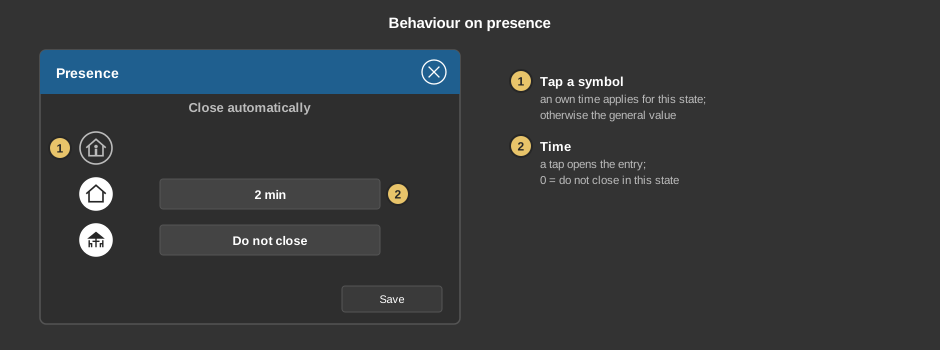
Behind the house a time of its own for the automatic closing can be set per presence state – when leaving the house for example shorter than at home. A tap on a symbol switches the own time for this state on and off, a tap on the value opens the entry. 0 means Do not close. By default no state has a time of its own, so the value from the settings applies everywhere.
This section is meant for the installer of the system.
The control element is linked to the function block Block Gate Control: first create the function block and its addresses, then right click on the control element and select the function block. In the same menu Take comment takes over the name of the function block as text. Without a link no dialog opens. See also Presence.
Display |
|
| View | Block, Basic screen or List – as a list entry the text is on the left and the gate leaf on the right. |
| Representation | Direction in which the gate leaf moves: From top like a garage door or a blind (default), From left or From right like a sliding gate. Ring shows a ring instead of the rectangle – suitable for a motor lock that only knows open and closed. |
| Text | Caption of the tile and title of the dialog, default Tor. Its size scales with the element, a line break is inserted with \n, two lines at most. |
All addresses sit at the function block and are taken over when linking.
See also General properties of all control elements.