 Images
Images
ImagesMenu Project – Images, in the visualization editor also via the picture symbol in the toolbar.
This is where the graphics of the project are managed: background images, symbols and everything a control element displays. The graphics are stored inside the project itself – there are no image files next to it on the controller, and when a project is passed on everything comes along.
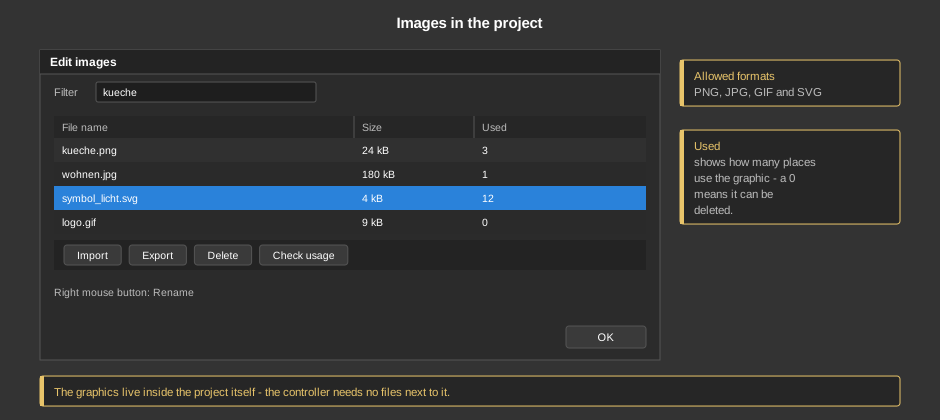
PNG, JPG, GIF and SVG can be imported.
Tip: Graphics are transferred to the controller with the project and loaded from there into the APP. Very large images make the project big and the first page build-up slow – a background image should not be larger than the resolution of the target device.
| Import | Select one or more files. If a graphic of the same name already exists, you are asked whether it should be overwritten. |
| Program symbol ... | Opens the symbol selection of the program with search and
categories (see Block menu
bar, section „Symbol selection“). The chosen symbol is
taken over into the project as an SVG in a fixed color (name
sym_<symbol>_<color>.svg) and is then chosen like
any other graphic. On request a second variant in another color is created
right away, for example for the light and the dark display. The graphic no
longer follows the style afterwards. If the same symbol is taken over again
with the same color, it replaces the existing file. |
| Export | Writes the selected graphics back into a directory as files. |
| Delete | Removes the selected graphics from the project (also with the Del key). |
| Check usage | Fills the column Used with the number of places where the graphic is needed. A 0 means it can be deleted safely – this is how a project that has grown over the years becomes lean again. |
| Filter | Shows only graphics whose name contains the entered text. |
| Rename | Via the right mouse button. Caution: the references in the control elements are not changed along – an element that still uses the graphic under the old name shows nothing afterwards. Check with Check usage beforehand. |
The column Size shows how much space a graphic takes up in the project.