 Check address links
Check address links
Check address linksCalled from the context menu in the address window – Check links for invalid addresses.
The function searches all function blocks and control elements for links to addresses that no longer exist. This happens for instance when a address is deleted later while it is still linked somewhere. The result appears in the channel Search results of the diagnostics:
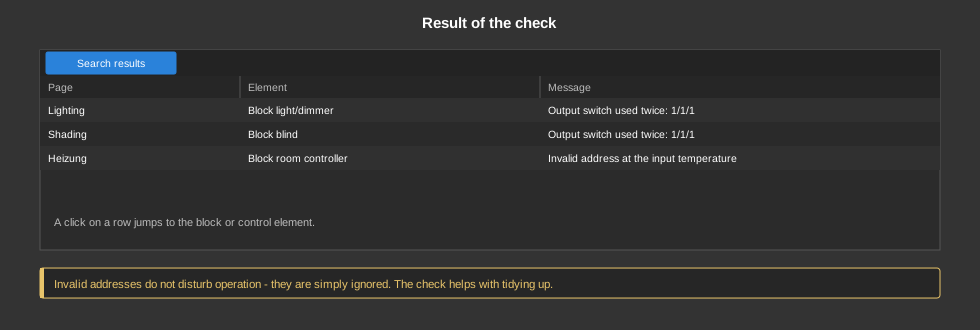
A click on an entry jumps directly to the affected block or control element.
The check also reports control elements that are supposed to read a connection of the linked function block that is only wired internally. A control element reads its values exclusively via addresses. A direct link between two blocks has no address and is only known inside the controller, so the control element always shows 0. The connection needs an address for this. The same control elements are marked with an orange frame in the Studio, and the tooltip names the affected connections. Only what the control element actually displays in its current setting is reported.
Invalid addresses do not disturb operation – they are simply ignored. The check helps with tidying up and with finding faults, for example when a block does not do what it should because its address points nowhere.
See also Check outputs for multiple use.